
- Nancy Smith
- Aug 5, 2025
- 14 min read

Updated: Oct 14, 2025
What is the Amazon Fire TV Stick?
If you’re looking for a simple way to improve home entertainment, this Fire TV Stick setup for seniors is one of the easiest and most reliable options available.
The Amazon Fire TV Stick is a small streaming device made by Amazon. It resembles a memory stick and plugs directly into the HDMI port on the back or side of your television. Once plugged in and connected to your home’s Wi-Fi, it gives your TV access to the internet. This allows you to stream video, music, news, and more using apps that appear on your TV screen. These apps include popular services like Netflix, Amazon Prime Video, YouTube, Disney+, and others.
The Fire TV Stick comes with a handheld remote that includes built-in voice control. You can press a button and say commands like “Play CBC News” or “Open YouTube” instead of typing or searching through menus. The remote communicates with the Fire TV Stick using Bluetooth, which means you do not have to point it directly at the television for it to work.
The Fire TV Stick runs on its own operating system. This means your television does not need to be smart or modern. As long as it has an HDMI port and your home has Wi-Fi, the Fire TV Stick can provide a full smart TV experience. You do not need a cable box, a satellite dish, or a DVD player. The device handles all video streaming directly through the internet.
It also includes a small power cable that must be connected to either a wall plug or a USB port on your TV to keep the device powered. Setup is done by following simple on-screen instructions, and it only needs to be done once. After setup, the Fire TV Stick turns on automatically when you turn on your TV and select the correct HDMI input.
Once installed, the Fire TV Stick becomes the main way to access TV content on that screen. It replaces traditional TV channels with streaming apps. You can add or remove apps based on what you want to watch. Some content is free, while others may require a subscription, such as Netflix or Prime Video.
In summary, the Amazon Fire TV Stick is a compact, plug-in device that turns almost any TV into a smart TV. It connects to the internet, displays streaming apps on your screen, and lets you control everything with a simple remote that includes voice commands.
🎥 Watch: Complete Beginner’s Fire TV Stick Setup (Video)
To see exactly how the Fire TV Stick works, watch this easy step-by-step demo. Perfect for first-time users and caregivers helping loved ones get started.
Getting Started: What You’ll Need
📦 Don’t have a Fire TV Stick yet? Click here to order it on Amazon— it’s the same model featured in this guide and usually ships fast.
Before you dive into setup, take a moment to gather everything you’ll need. Setting up the Fire TV Stick is simple, but having these items ready will save you time and frustration.
Essential Items for Setup
✅ Amazon Fire TV Stick
This is the small rectangular device that plugs into your TV. It comes with:
A remote control (with voice button if supported)
A USB power cable
A power adapter
Two AAA batteries (usually included for the remote).
Make sure you have everything out of the box and ready to go.
✅ A TV with an HDMI Port
Your TV needs at least one open HDMI port—this is where the Fire TV Stick plugs in. Most flat-screen TVs have these on the back or side. Look for a label like “HDMI 1” or “HDMI 2.” If all ports are full, you may need to unplug another device temporarily.
✅ Reliable Wi-Fi Connection
You’ll need a stable internet connection to stream videos smoothly. A speed of at least 25 Mbps is ideal for watching shows in high definition without buffering.
📶 Not sure how strong your Wi-Fi is? Click here to test your speed. Aim for 25 Mbps or higher for smooth streaming.
✅ Amazon Account
You’ll be asked to sign in with an Amazon account during setup. If you already shop on Amazon, use that same login. If not, you can create a free account during setup. This account allows you to install apps like Netflix, access Amazon Prime Video (if you're a subscriber), and adjust your Fire TV settings.
💡 Did you know? Over 300 million people worldwide already have an Amazon account—so if you’re new to it, you’re not alone!
Step 1: Easy Fire TV Stick Setup for Seniors and First-Time Users
Find the HDMI port on your TV
Look on the back or side of your television for a port labelled HDMI. Most TVs have more than one. If you see HDMI 1 or HDMI 2, make a note of which one you plan to use.
Insert the Fire TV Stick
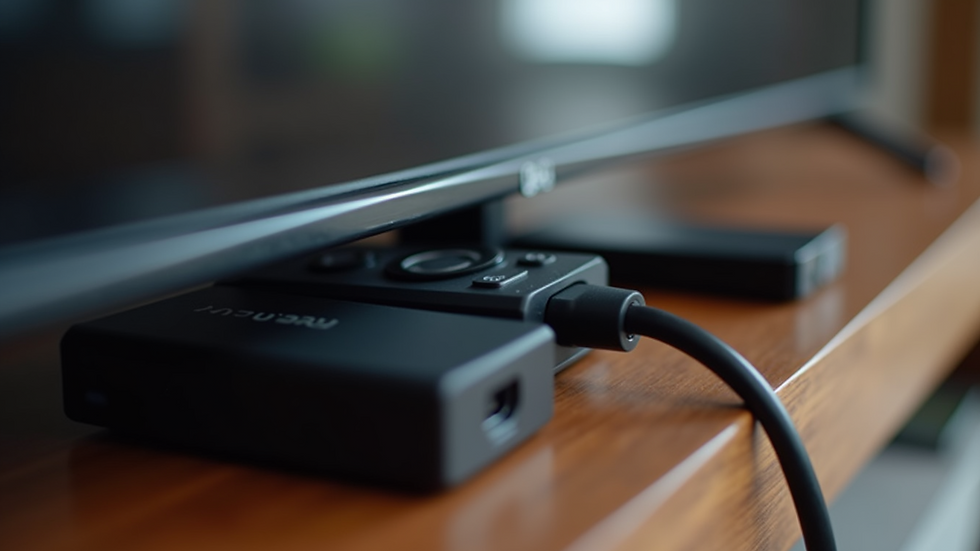
Take the Fire TV Stick and gently plug it into the HDMI port. If the space is tight, you can use the small HDMI extender that came in the box to give you more room.
Connect the power cable
Plug the small end of the USB cable into the side of the Fire TV Stick. Plug the other end into the included power adapter, and then plug the adapter into a nearby wall outlet. If your TV has a USB port, you can plug it there instead, but using the wall outlet is more reliable.
Turn on your TV and select the correct input
Use your regular TV remote to turn on the television. Press the Input or Source button and choose the HDMI port you used. For example, if you used HDMI 1, select HDMI 1 from the menu.
Wait for the Fire TV welcome screen
Once the correct input is selected and the device is powered, the Fire TV logo will appear on your screen. This means everything is connected correctly, and you’re ready for the next step.
Step 2: Connect to Wi-Fi
Insert the included batteries into the remote
Open the back cover of the Alexa Voice Remote and insert the two AAA batteries that came in the box. The remote should automatically connect to your Fire TV Stick within a few seconds.
Wait for the setup screen to appear
After turning on your TV and selecting the correct HDMI input, the Fire TV Stick will begin the setup process. A welcome screen will appear, followed by instructions to pair the remote if needed.
Choose your language
Use the remote to scroll through the list of languages. Highlight your preferred language and press the center button on the remote to select it.
Select your Wi-Fi network
The Fire TV Stick will begin searching for nearby Wi-Fi networks. When the list appears, use the remote to scroll and find the name of your home Wi-Fi network. If you are not sure which one is yours, check the label on your internet modem or router.
Enter your Wi-Fi password
Use the on-screen keyboard and the remote to enter your Wi-Fi password. Move around with the navigation ring on the remote and press the center button to select letters. Take your time and make sure everything is entered correctly. Wi-Fi passwords are case-sensitive, so be sure to use capital letters where needed.
Wait for the device to connect
Once your password is entered, the Fire TV Stick will try to connect to your network. This may take a few moments. If successful, you will see a message confirming the connection. If the connection fails, check that your password is correct and that your internet is working.
Step 3: Sign In to Your Amazon Account
Wait for the sign-in screen to appear
After your Fire TV Stick connects to Wi-Fi, it will automatically move to the Amazon account sign-in screen. This step is required to activate your device and access apps like Prime Video, Netflix, and YouTube.
Choose how you want to sign in
You will see two options on the screen:
Sign in using your Amazon account
Create a new account if you do not have one. If you already have an Amazon account (for example, for shopping or using a Kindle), choose the first option. If you have never used Amazon before, select the option to create a new account. The process is simple and free.
Enter your login information
Use the remote to type in the email address and password connected to your Amazon account. You will see an on-screen keyboard and can scroll across the letters using the navigation ring. Press the center button to select each letter. Be careful when typing. Email addresses are not case-sensitive, but passwords are. Use the shift key on the keyboard to enter capital letters if needed.
Optional: Sign in using your phone or computer
If you prefer not to type everything on the TV screen, you will see an option that says “Sign in using your phone.” A web address and short code will appear on the screen. You can go to the website on your smartphone, tablet, or computer and enter the code. This will link your Fire TV Stick to your Amazon account automatically.
Wait for confirmation
Once signed in, your device will be registered to your Amazon account. This allows it to remember your apps, purchases, watch history, and other preferences.
Let the Fire TV Stick check for updates
After signing in, the Fire TV Stick may check for software updates. If an update is available, it will install automatically. This may take a few minutes. Keep the device plugged in and do not turn off the TV during this step.

Step 4: Installing Applications
Go to the home screen
After the device finishes checking for updates, you will see the Fire TV home screen. This is the main menu where you can access all your apps, settings, and features. Use the remote to move left or right along the top menu.
Navigate to the App Store
Use the remote to highlight the “Find” option on the top menu and press the center button. Then select “Appstore” or “Search.” This is where you can browse or search for specific apps to install on your device.
Search for a specific app
If you already know the name of the app you want, such as Netflix, YouTube, Prime Video, or Crave, scroll to the search bar and begin typing the name using the on-screen keyboard. You can also hold the microphone button on the remote and say the app name out loud. For example, say “Open YouTube” or “Download Netflix.”
Select the app from the search results
Once the app appears in the list, highlight it and press the center button on the remote. This will open the app’s download page.
Download the app
On the app’s page, select the “Get” or “Download” button. The app will begin downloading and installing onto your Fire TV Stick. This usually takes less than a minute if your Wi-Fi connection is strong.
Open the app and sign in
Once the app has been installed, you will see an “Open” button. Press it to launch the app. If the app requires a subscription, such as Netflix or Prime Video, you will be asked to sign in using your email and password. If the app is free, like YouTube or Tubi, you can start using it right away.
Repeat this process for other apps
You can go back to the App Store to add more apps the same way. Most people install a mix of subscription-based and free apps. Some popular apps include Netflix, YouTube, Amazon Prime Video, Disney+, Tubi, CBC Gem, and Crave.
Step 5: Navigating the Fire TV Interface
Start from the home screen
When you turn on your TV and select the correct HDMI input, the Fire TV home screen will appear automatically. This is the main menu where you can access all of your apps, settings, and recently watched content.
Use the remote’s navigation ring
The round button at the top of your Alexa Voice Remote lets you move up, down, left, and right. Use this ring to scroll through menus. Press the center of the ring to select an item on the screen.
Browse featured content and apps
The top of the home screen shows recommended shows, movies, and popular apps. Keep scrolling down to find your recently used apps, watchlist, and categories like “Free to Watch,” “TV Shows,” or “News.”
Open the apps row
Scroll down to the “Your Apps & Channels” section. This is where all the apps you’ve installed will appear. Use the navigation ring to highlight an app, then press the center button to open it.
Access the full apps list
If you don’t see one of your apps right away, scroll to the end of the row and select “See All.” This opens a complete list of every app currently installed on your Fire TV Stick.
Use voice search for quick access
You can press and hold the microphone button on your remote and say things like “Open YouTube” or “Search for documentaries.” This is a faster way to open apps or find shows without scrolling through menus.
Adjust settings if needed
To access settings, move to the gear icon on the far right of the top menu. This section includes options for display, accessibility, parental controls, Wi-Fi, and account information.
Return to the home screen anytime
Press the home button on your remote (the one with a house icon) to return to the main screen from anywhere.
Step 6: Using Voice Commands with Alexa
Locate the voice button on your remote
The Alexa Voice Remote includes a small microphone button near the top. This button activates the voice control feature. You do not need to say “Alexa” first. Simply press and hold the microphone button while speaking.
Hold the button while you speak
Press and hold the microphone button firmly. While holding it down, speak your command clearly into the remote. Release the button when you are done speaking.
Try common commands
You can use voice commands to search for shows, open apps, or control playback. Here are a few examples:
“Open Netflix”
“Play CBC News”
“Show me comedies”
“Search for nature documentaries”
“Pause”
“Fast forward”
“Go home”
Use voice search instead of typing
If typing on the screen is difficult or slow, voice commands are a simple alternative. Instead of using the on-screen keyboard, press the microphone button and say what you are looking for. The Fire TV Stick will search and show results on the screen.
Control your TV (if supported)
If your television supports HDMI-CEC and it is enabled in the settings, you can also use voice commands to control the TV itself. For example, you might say “Turn up the volume” or “Turn off the TV.” Not all TVs support this, so results may vary depending on your television model.
Speak naturally and clearly
You do not have to use exact phrases. The Fire TV Stick understands simple, everyday language. Speak in a natural tone and keep it short. If it does not recognize your request the first time, try rephrasing.
Helpful Tips for Caregivers
Helping a loved one get comfortable with the Fire TV Stick can make a big difference in their daily routine. Below are helpful tips for caregivers who are setting it up or providing support for a senior at home.
Pre-load apps your loved one already knows
Install only a few essential apps at first, such as Netflix, YouTube, Prime Video, or CBC Gem. Keep the home screen uncluttered so it feels less overwhelming. You can always add more apps later once they feel confident using the remote.
Organize the apps for easy access
Move the most-used apps to the front of the “Your Apps & Channels” row. Highlight the app, press the menu button on the remote (three horizontal lines), and select “Move” to place it in a more visible spot.
Adjust the display and font settings
If your loved one has vision challenges, go to Settings and increase the text size or contrast. Under “Accessibility,” you can also enable features like screen magnifier or text banner for easier reading.
Use voice commands to reduce frustration
Encourage them to use the Alexa voice button instead of typing. For many seniors, speaking commands like “Play the news” or “Open Netflix” is much easier than navigating menus or using the keyboard.
Enable HDMI-CEC if their TV supports it
This setting allows the Fire TV remote to control the TV’s power and volume. Go to Fire TV Settings, then Equipment Control, and follow the steps. This simplifies everything into one remote instead of juggling two.
Create a simple printed guide with common commands
Make a one-page sheet that lists phrases they can use with the Alexa remote, such as “Pause,” “Go home,” or “Search for nature shows.” You can tape this near the TV for easy reference.
Test the Wi-Fi strength in the room
Use the Fire TV’s built-in network tool to check signal strength under Settings > Network. If the signal is weak, reposition the router or use a Wi-Fi booster to avoid buffering and frustration.
Check in regularly for updates or changes
Occasionally, check the device to install updates, manage subscriptions, or remove apps they no longer use. Keeping things simple helps build confidence and keeps them in control.
Respect their pace and preferences
Not every senior will want lots of features right away. Go slow. Start with one app they enjoy, like watching music videos on YouTube or a familiar TV show on Prime. Let their comfort level guide what comes next.
Wrapping Up
Setting up the Amazon Fire TV Stick may feel like a big step at first, but once it’s installed, it quickly becomes part of everyday life. For seniors aging in place, it offers easy access to entertainment, news, music, and connection — all from the comfort of home.
Once the setup is complete, there’s no need to navigate cable menus or worry about complicated remotes. The voice control feature makes it easier to find shows without typing. Apps like YouTube, Netflix, and Prime Video are only a click or voice command away.
If you’re a caregiver, this device can give your loved one more independence while giving you peace of mind. You can simplify their screen, limit distractions, and support their daily routine with programming they enjoy. And if you’re setting it up for yourself, you now have a simple tool that keeps your TV experience clear, calm, and easy to control.
Remember, you don’t need to know everything on day one. Start small. Use the home screen. Try a voice command. Open a favourite app. Once the basics are in place, confidence grows with each click.
If you ever need help, come back to this guide or reach out to a trusted family member or tech support contact. You’ve got this — and your TV just got a whole lot smarter.
🎯 Ready to Try the Fire TV Stick?
If you're ready to get started, you can order the same Fire TV Stick featured in this guide here:👉 Buy the Amazon Fire TV Stick HD on Amazon (affiliate link)
This is the version we recommend for seniors and caregivers who want simple, reliable home entertainment.
🛍️ Bonus Tools That Make Setup Easier
While the Fire TV Stick is easy to set up on its own, these optional accessories can make installation smoother, especially in homes with tight TV setups or when helping a loved one. Each tool listed below is practical, affordable, and senior-friendly.
These are the exact tools featured in this guide. All links below use my Amazon Associates code to support my work—thank you for using them!
✅ Amazon Fire TV Stick (HD Model)
This is the same model used throughout this guide. It plugs into your TV’s HDMI port and connects to Wi-Fi so you can stream Netflix, YouTube, Prime Video, and more—all with a simple voice remote.👉 Buy the Fire TV Stick HD on Amazon
✅ HDMI Extender Cable (For Tight Spaces or Wall-Mounted TVs)
If the back of your TV is hard to access or you have limited clearance, this short extender cable gives you room to connect your Fire TV Stick safely. It can also improve Wi-Fi signal by moving the device away from metal surfaces.👉 Buy the HDMI Extender Cable on Amazon
✅ USB Power Adapter (More Reliable Than TV USB Ports)
Many TVs don’t provide enough consistent power through their USB ports. This adapter plugs into the wall and ensures your Fire TV Stick stays powered, preventing startup issues and mid-stream crashes.👉 Buy the USB Power Adapter on Amazon
✅ OTG USB Adapter (For Flash Drives and Storage Expansion)
Want to plug in a USB stick to watch home videos or store more apps? This OTG adapter adds a USB port to your Fire TV Stick while still keeping it powered. Ideal for seniors who want easy access to family photos, music, or offline media.👉 Buy the OTG USB Adapter on Amazon
💡 Tip: All of these accessories are available through Amazon Canada and work perfectly with the Fire TV Stick model featured in this setup guide. Using these exact links ensures you're getting the same trusted products—no guesswork.
🛠️ Bonus: Download the Fire TV Stick Setup Checklist (PDF)
“What if I do this wrong?”
“How will I know it’s working?”
“Where do I even begin?”
These are common questions when setting up the Fire TV Stick, especially when helping someone stay safe and independent at home. That’s exactly why this printable checklist was created.
This free guide helps you:
✅ Follow each step in the right order
✅ Understand why each step matters
✅ Avoid missed connections or confusion
✅ Feel confident during setup, with no guesswork
📄 Click here to download your Fire TV Stick Setup Checklist (PDF)
This checklist will open in a new tab so you can print or save it.
You can print it or save it, and follow along while setting up the device.
📍 Need more tools like this?
Visit: bctech4seniors.ca
📺 Watch our videos: YouTube.com/@bctech4seniors


